I design and build software products.

At Snapbar, I lead product UX and front-end development for our AI-driven event marketing platform, building customer-facing tools and evolving the company's core software.

Outside of Snapbar, I build independent products like Dungym, a strength training app. And, when the light's right, I make a few photographs too.

Selected projects

Experiential Marketing Platform

Used by Nike, Coca-Cola, and Johnson & Johnson, and agencies like Freeman and Wilson Dow

I architected the full UX system and implemented the front-end for Snapbar's experiential marketing platform, designing and building a multi-page dashboard that brands use to configure, brand, and launch AI-powered activations, then measure their impact at scale.

dashboard.snapbar.com
32%
of merged PRs
1,733
commits
168
active days
38%
of the codebase
+257k −116k
lines changed

Nine products and 100+ screens, designed and built as one system. Every product uses the same editor, the same guest flow, and the same team and admin tools.

Products 9

Nine kinds of experience on one platform. Each has a moment of its own, and these are five of them.

Snapbar AI Photo Booth on a phone: a swipeable row of styles
01AI Photo BoothGuests swipe to pick a style
Snapbar AI Stories on a phone: a fill-in-the-blanks story
02AI StoriesGuests write the story first
Snapbar Persona Quiz on a phone: the first quiz question
03Persona QuizThree questions set the persona
Snapbar Digital Photo Booth on a phone: a framed photo with a sticker tray
04Digital Photo BoothBackgrounds, frames, and stickers
Snapbar Trading Cards on a phone: a holographic player card
05Trading CardsA holographic card that tilts

Workspace 13 screens

Where a team lands. Every experience sits on one home screen, and a gallery starts a new one. Members, billing, and credits live here too.

Snapbar dashboard: home overview
01Home
Snapbar dashboard: gallery of experience types
02Create

Experience editor 33 screens

One editor for every product. Submissions, analytics, sharing, and delivery sit in the same place each time. Only the product's own settings change.

Snapbar dashboard: submissions
01Submissions
Snapbar dashboard: analytics
02Analytics
Snapbar dashboard: style settings for an AI photo booth
03Styles, AI Photo Booth
Snapbar dashboard: story template editor for AI Stories
04Story template, AI Stories
Snapbar dashboard: background settings for a digital photo booth
05Backgrounds, Digital Photo Booth
Snapbar dashboard: delivery email editor
06Delivery email

Guest booth 21 screens

Brands theme the pages guests see, with a live preview beside the controls. Every product opens with the same welcome, consent, and capture steps, dressed for the brand.

Snapbar dashboard: microsite editor
01Microsite editor
Snapbar dashboard: sharing page editor
02Sharing page editor
Snapbar guest experience on a phone: welcome
03Welcome
Snapbar guest experience on a phone: consent
04Consent
Snapbar guest experience on a phone: reviewing a captured photo
05Capture

Displays and gallery 11 screens

Where the results go. A live gallery, a slideshow, and a mosaic that fills in photo by photo, each set up in the same editor and shared with a link.

Snapbar live gallery of trading cards
01Gallery, Trading Cards
Snapbar slideshow of quiz personas
02Slideshow, Persona Quiz
Snapbar mosaic display built from guest photos
03Mosaic
Snapbar dashboard: mosaic display settings
04Display editor
Admin 16 screens
Internal tools for Snapbar's own team: accounts, experiences, submissions, processing jobs, credits, and a styles playground, across every customer.
Reports 3 screens
A post-event report for every activation, with results a brand can share.
Sign-in 7 screens
Sign in, sign up, code verification, password reset, and the emails that go with them.

Launch films

    Commits per month
    Commits per month
    Where the work landed

      Working with AI

      I use Claude Code and Codex across design and engineering, supported by the tooling around them: skills that encode the illustration style, UI review checklist, and browser testing, and documentation for the design system, interaction patterns, and clip style that agents reference before writing code. My role is to set the standard, build the tools, and review the output.

      Six arcs

      1. Where it started

        The platform began as the world’s first browser-based AI photo experience. As Lead Product Designer and Front-End Developer, I designed and built the system that let enterprise clients configure, brand, and launch AI photo activations, deployed at 1000+ events for Fortune 500 clients.

      2. One product, one system

        Unified the experience cards, navigation, and brand typography across the dashboard, establishing one spacing and type scale for every screen.

      3. Design system in code

        Moved the design system into the codebase as a living component library, so design and engineering work from the same source of truth.

      4. Admin and team workflows

        Redesigned internal administration as a triage dashboard with a single table pattern, and streamlined team invitations into one step.

      5. Guest-facing experiences

        Refined every screen guests see, from the booth and live displays to delivery email, across phones, venue screens, and inboxes.

      6. Creative tooling

        Built tools that encode the illustration style and product motion, enabling the team to produce on-brand visuals and launch clips, including those shown above.

      Studio Headshots

      Used by H&R Block, FIFA, and Gusto to capture close to a million headshots

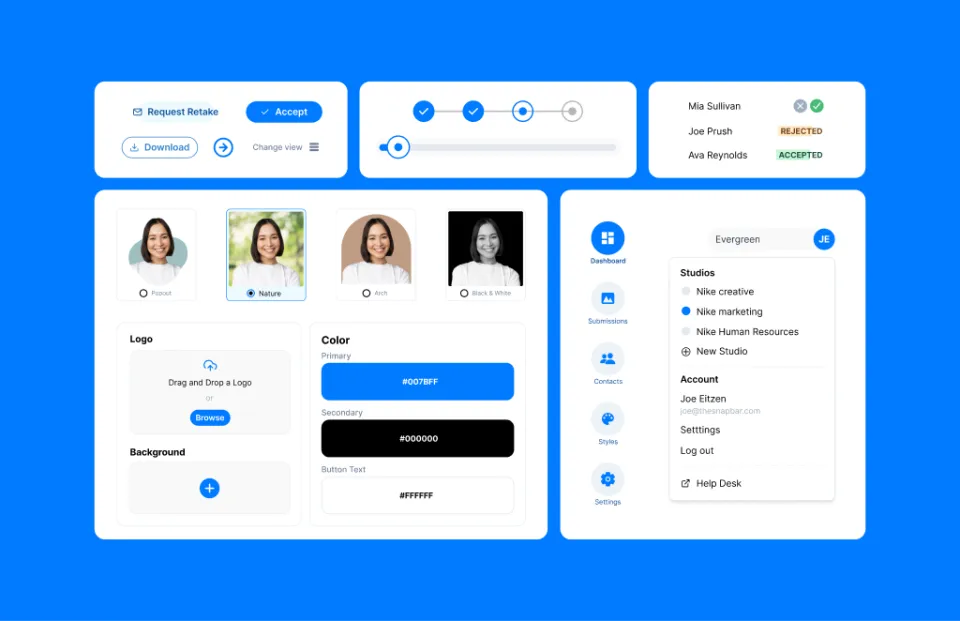
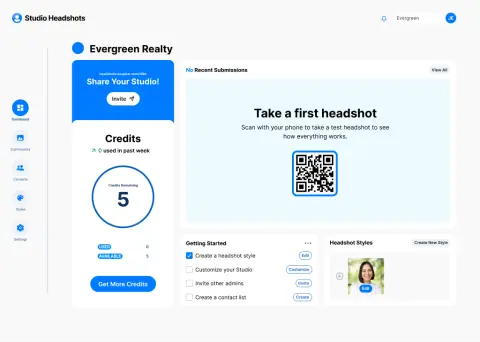
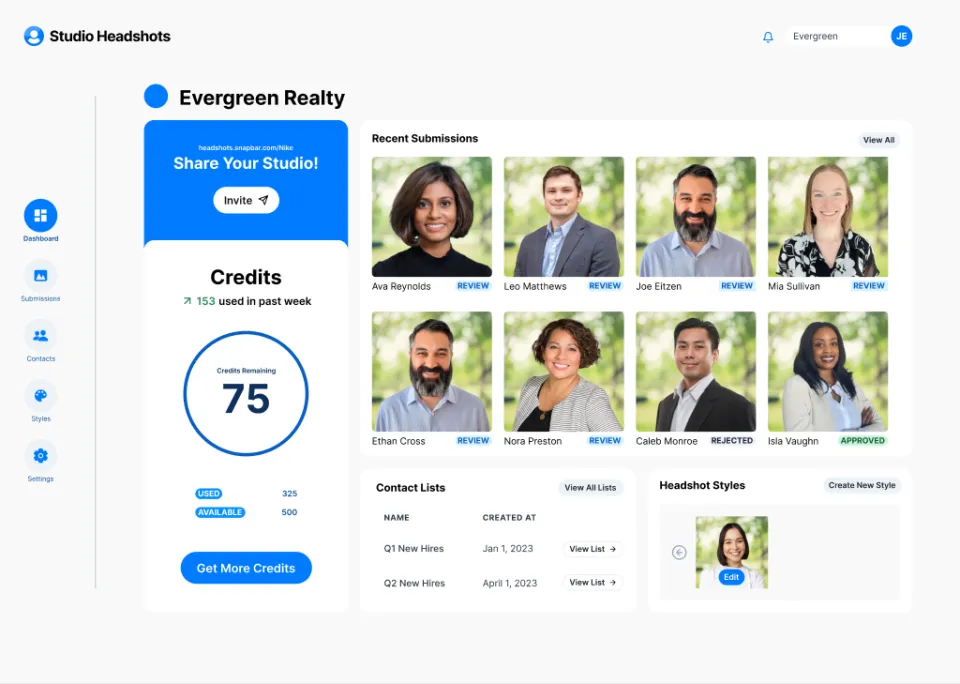
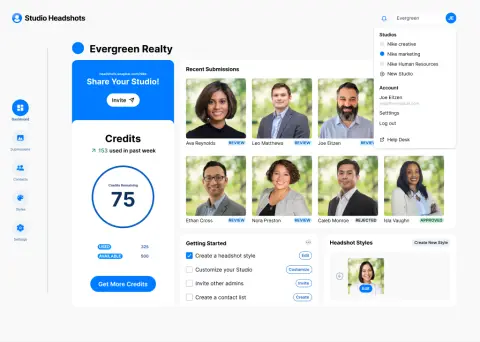
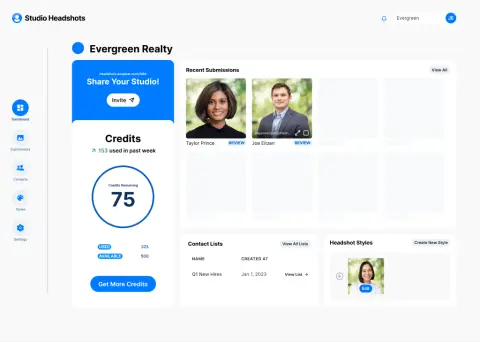
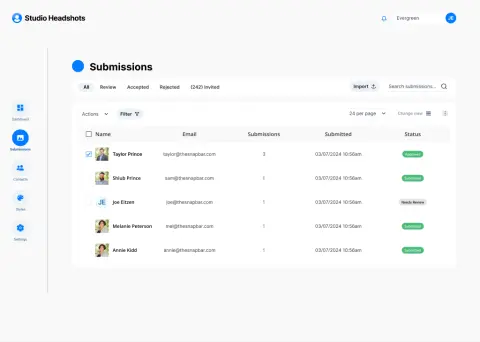
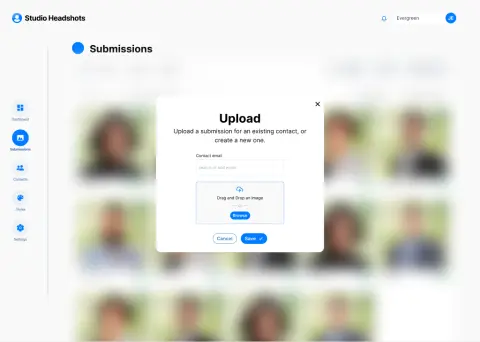
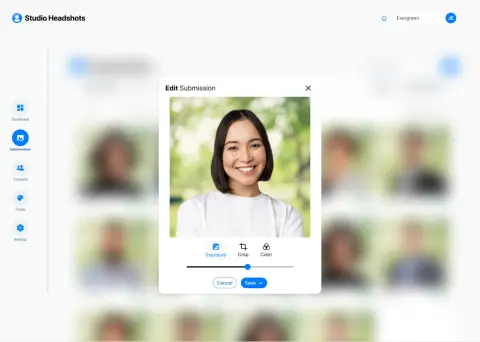
      I designed the end-to-end studio dashboard experience, including submissions, branding controls, configuration tools, onboarding, and administrative workflows. The platform enables companies to manage and standardize headshots across distributed teams.

      portal.headshots.studio

      Launch a studio

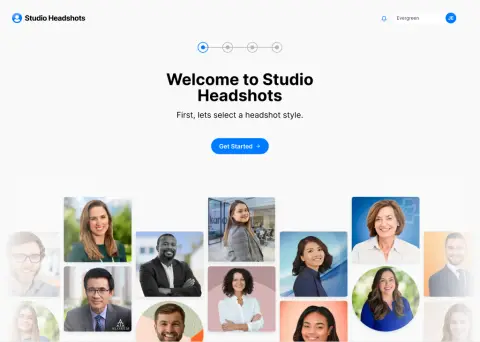
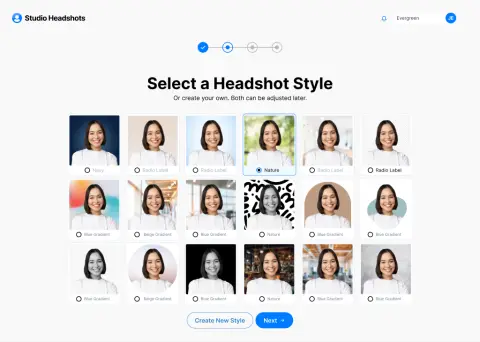
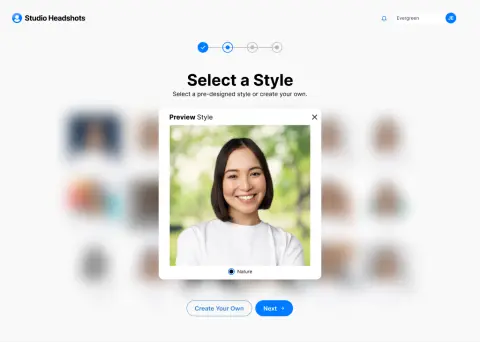
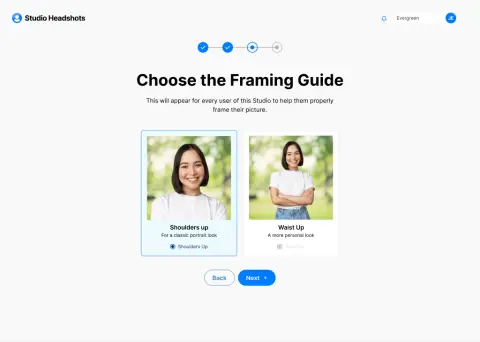
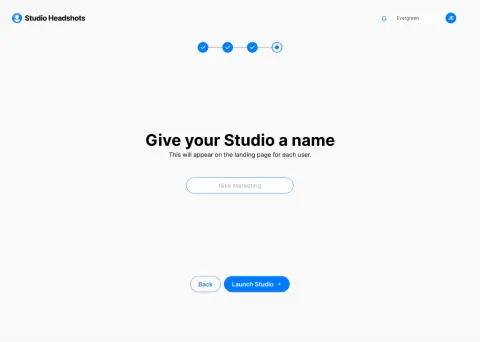
      A four-step onboarding flow that takes a new client from sign-up to a live studio, with style previews on a real headshot before committing.

      Studio Headshots: welcome
      01Welcome
      Studio Headshots: choose a style
      02Choose a style
      Studio Headshots: preview it
      03Preview it
      Studio Headshots: name and launch
      04Name and launch

      Run the review

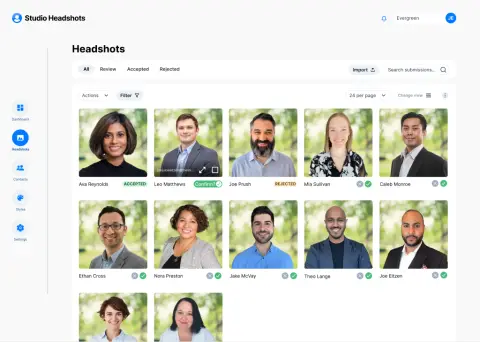
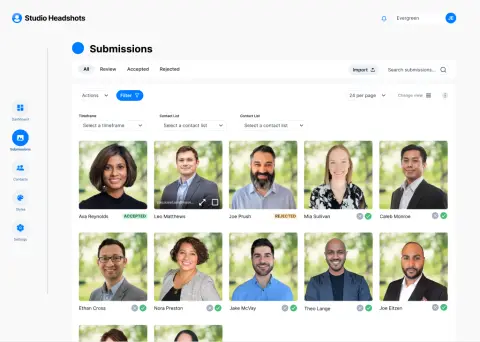
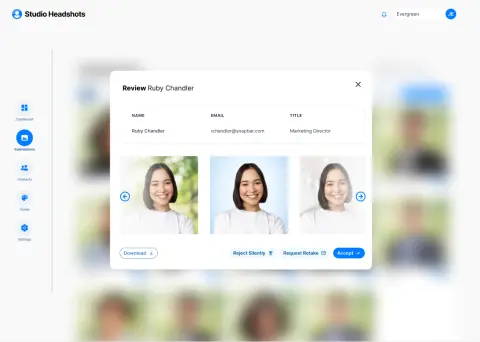
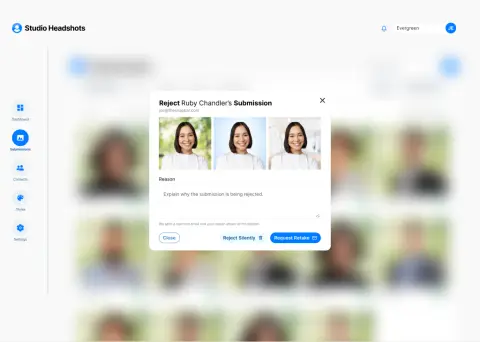
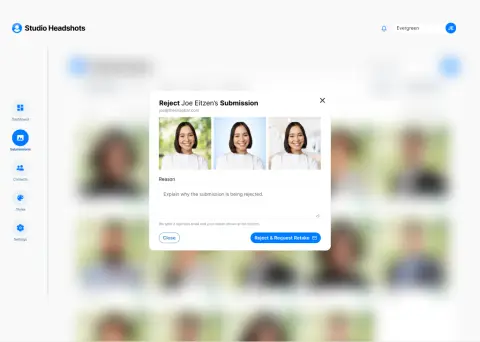
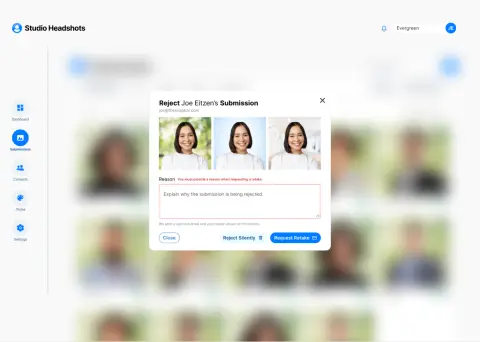
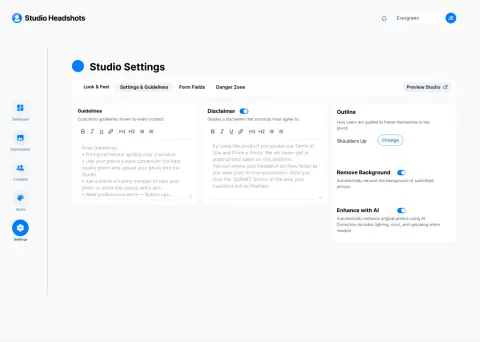
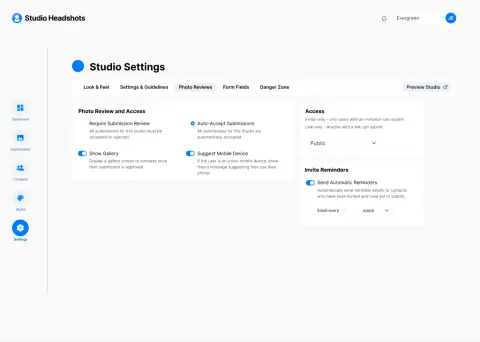
      A single submissions view where admins accept headshots, request retakes with the reason included in the email, or reject silently, alongside branding controls for each studio.

      Studio Headshots: every submission
      01Every submission
      Studio Headshots: review
      02Review
      Studio Headshots: retake or reject
      03Retake or reject
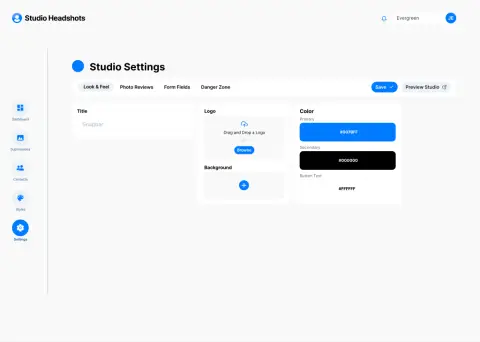
      Studio Headshots: look and feel
      04Look and feel

      Screens and states

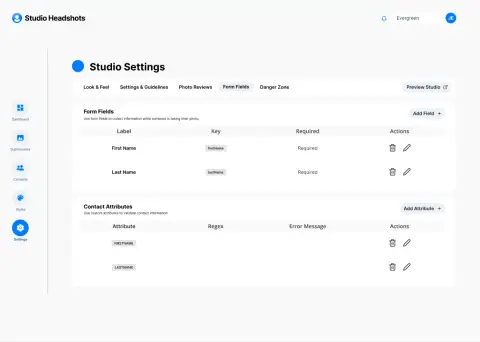
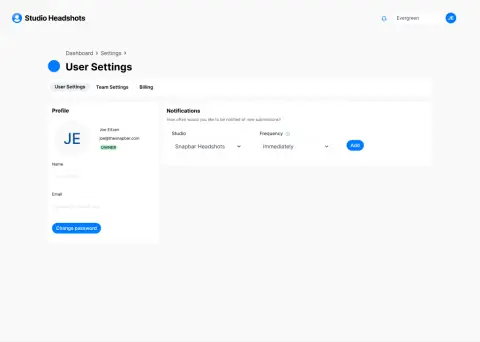
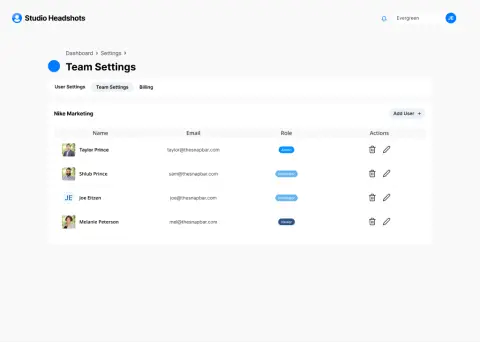
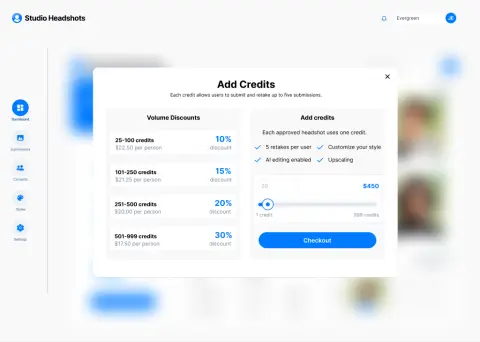
      A selection of screens, states, and components from the Studio UI file, across onboarding, submissions, review, styles, settings, and billing.

      • Component library
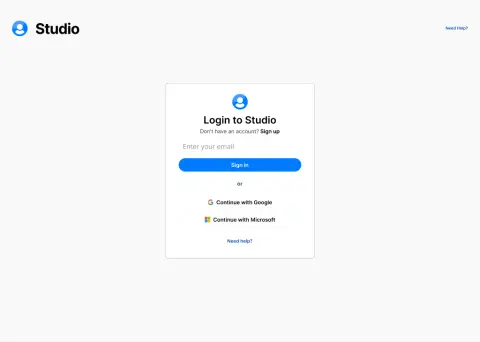
      • Login
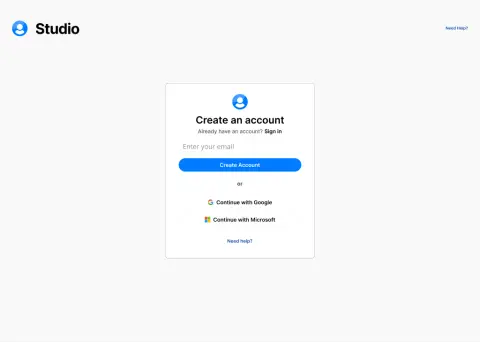
      • Create an account
      • Welcome
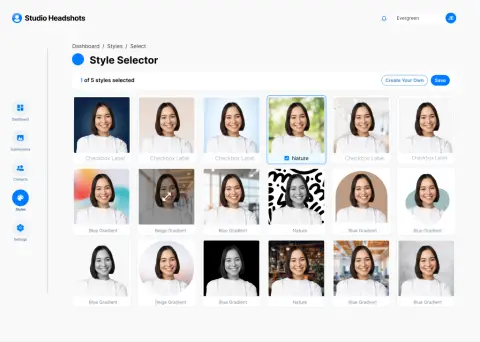
      • Select a headshot style
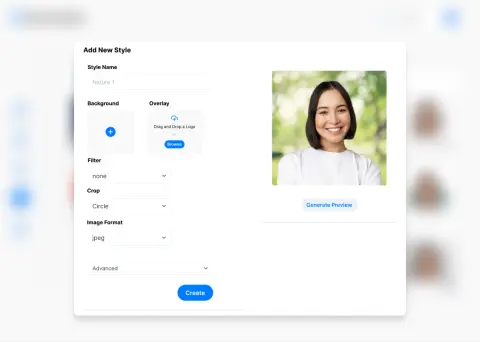
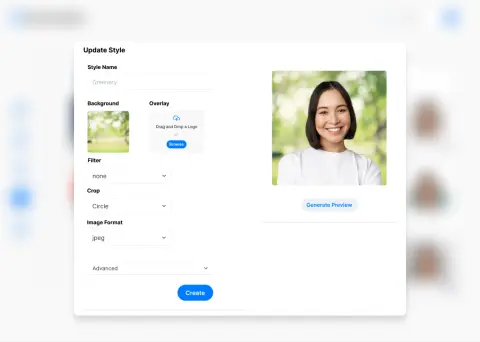
      • Preview a style
      • Framing guide
      • Name your studio
      • Empty dashboard
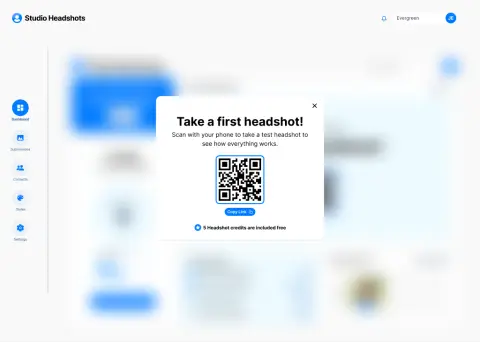
      • Take a first headshot
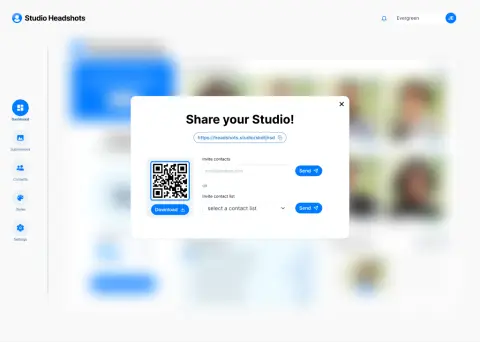
      • Share your studio
      • Dashboard
      • Studio switcher
      • Dashboard, early
      • Headshots
      • Filters
      • Table view
      • Upload a submission
      • Review
      • Edit a submission
      • Reject
      • Reject and request retake
      • Reject, error state
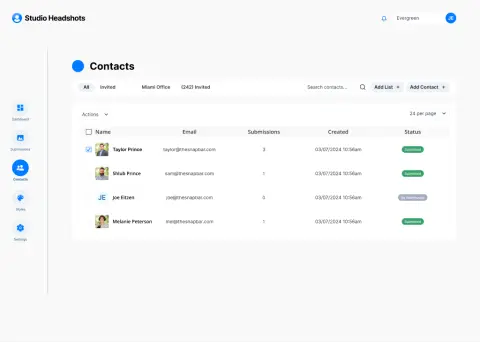
      • Contacts
      • Style selector
      • Add a style
      • Update a style
      • Look and feel
      • Settings and guidelines
      • Photo reviews
      • Form fields
      • User settings
      • Team settings
      • Add credits
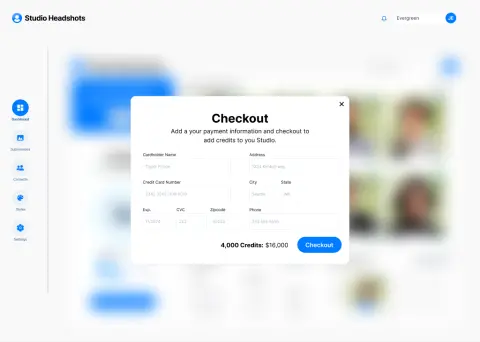
      • Checkout

      Dungym

      An exploration, shipped in full and now free to use

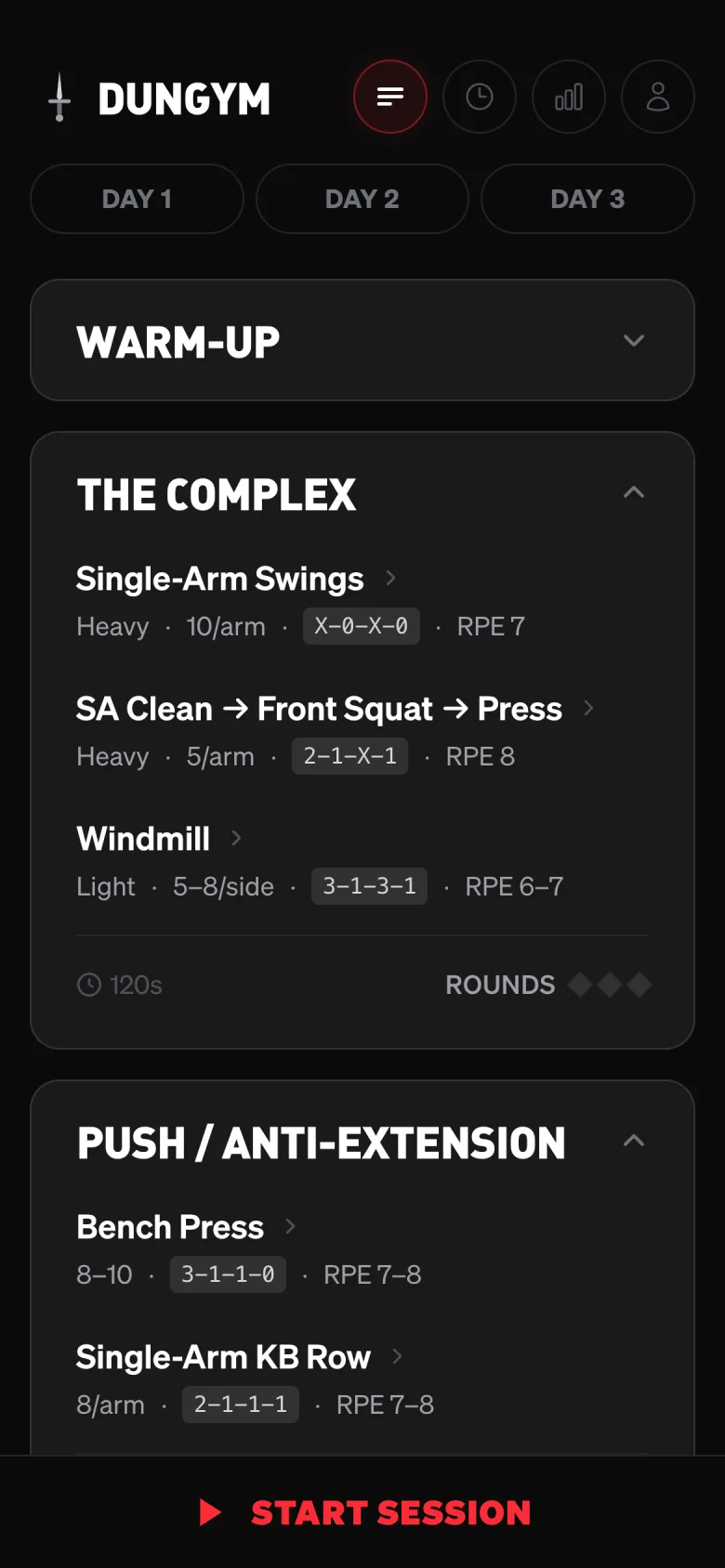
      A strength training app I designed, built, and shipped end-to-end, working with Claude Code throughout. Built with memberships, scheduling, payments, and transactional communication.

      dungym.app
      22
      build days
      122
      commits
      26
      PRs merged
      57%
      paired with Claude
      Dungym landing screen
      Landing
      Dungym program screen
      Program
      Dungym exercise detail screen
      Exercise detail
      Dungym live session screen
      Live session
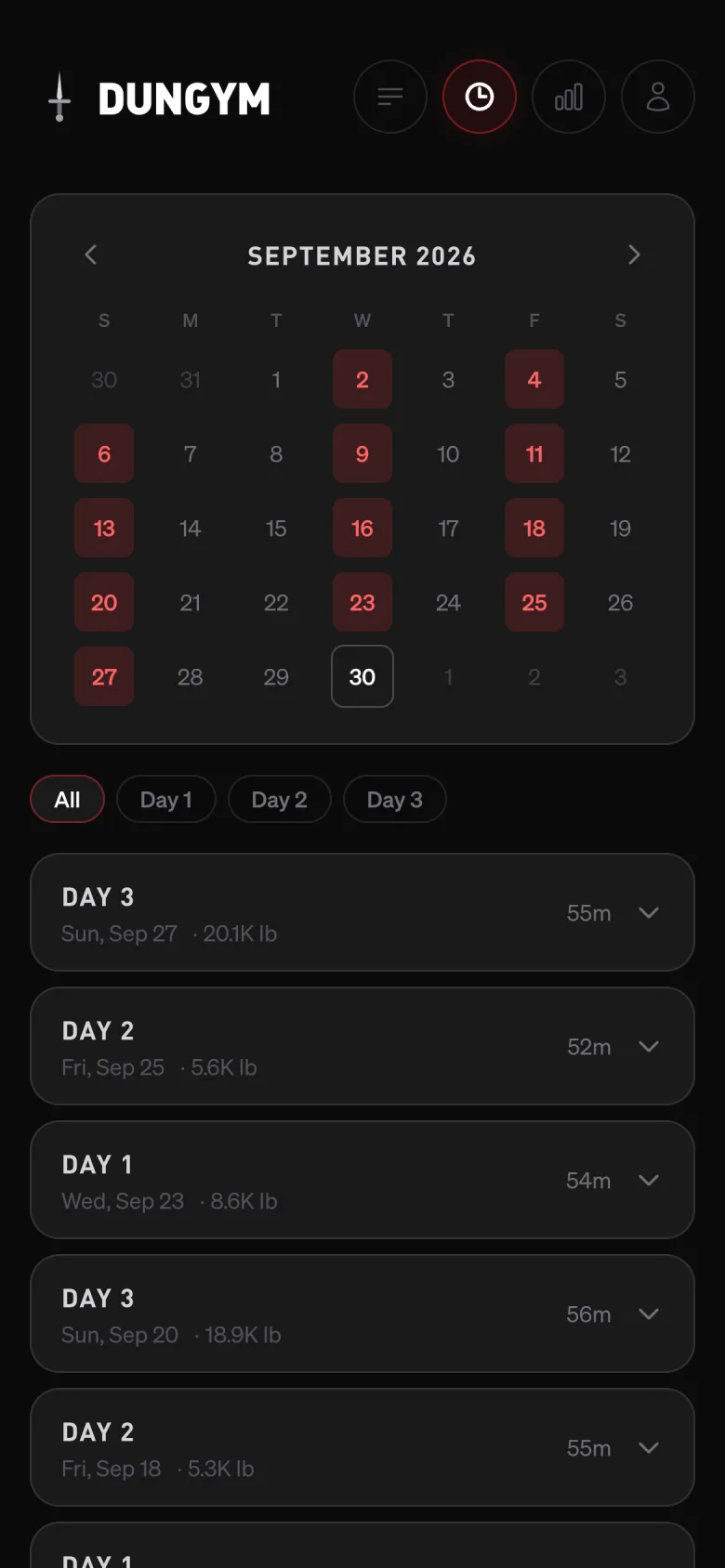
      Dungym history screen
      History
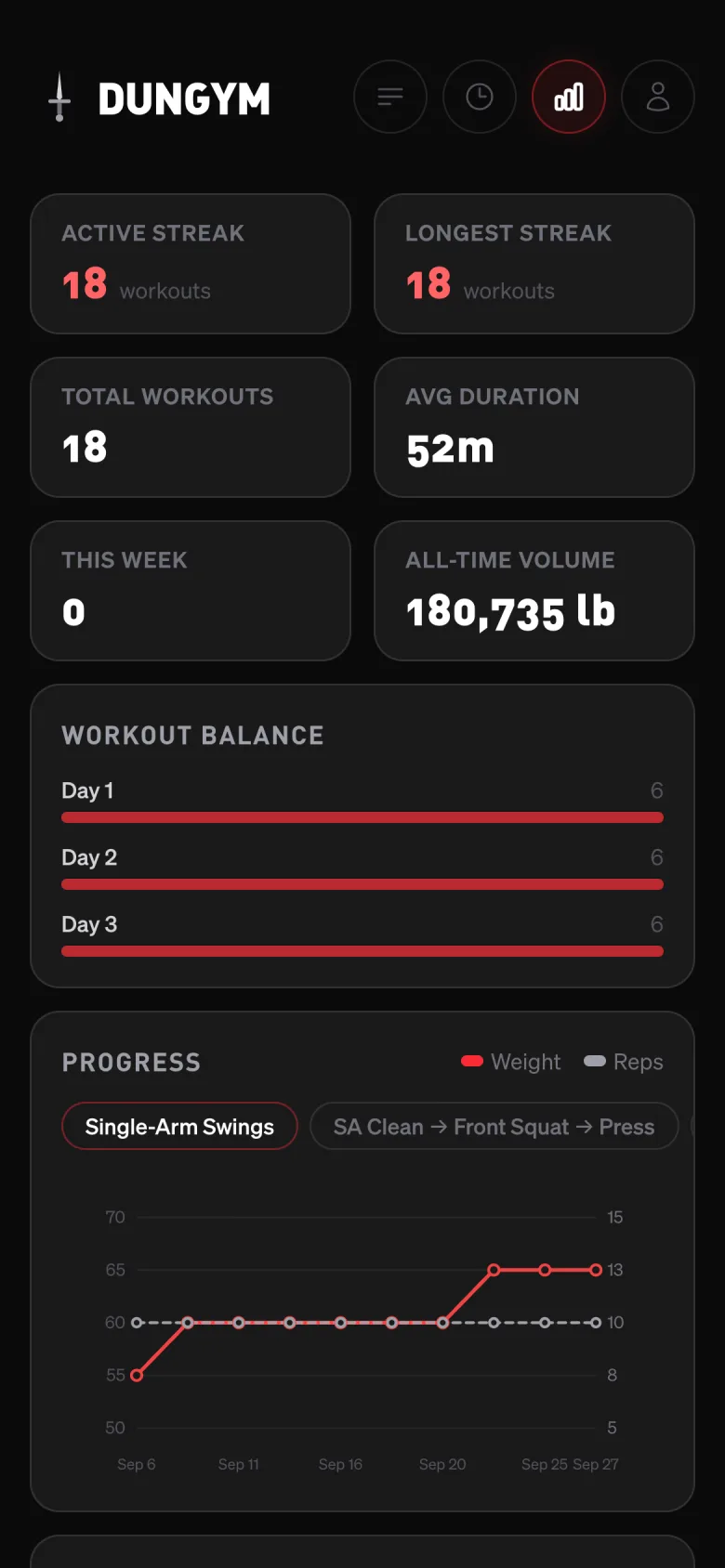
      Dungym stats screen
      Stats

      Working with AI

      As Designer, Product Owner, and Reviewer, I built Dungym with Claude Code one pull request at a time: I set the direction, designed every screen, and reviewed each change before it shipped.

      Built with

      Next.js · Tailwind · Supabase · Stripe · Claude Code

      Three arcs

      1. Program as product

        Designed an opinionated three-day kettlebell program, with a daily complex and a prescribed tempo for every rep, and an interface built to follow it mid-set on a phone.
      2. End-to-end build
        Built authentication, session tracking, history, progress charts, Stripe subscriptions, and SEO landing pages, from first commit to launch in five weeks.

      3. Open access

        Removed sign-in and checkout to make the full program free to use, keeping the product live without a paywall.

      Snapbar Website & Brand

      Brings in about half of Snapbar's new business, from brands like Google, Pepsi, and ServiceNow

      I designed and built Snapbar's marketing website and brand, shaping how the company communicates its AI product suite and event offerings. I led the visual direction and UX architecture, structured the product storytelling, and designed the site's core conversion pathways as the company expanded into AI-driven experiences.

      snapbar.com

      Navigation and footer

      A navigation system that organizes every product, solution, and case study, built on the same type, color, and card language as the dashboard, with a footer that carries the full sitemap and brand mark.

      Snapbar website: platform menu
      01Platform menu
      Snapbar website: footer
      02Footer

      Platform overview

      The platform page presents the product through its own components, using the same launch clips, cards, and data found in the dashboard.

      Snapbar website: hero
      01Hero
      Snapbar website: one workspace
      02One workspace
      Snapbar website: three pillars
      03Three pillars
      Snapbar website: inside the platform
      04Inside the platform

      How it works

      A four-step narrative, from designing an activation to measuring its impact, that walks buyers through the full event before the first conversation.

      Snapbar website: four steps
      01Four steps
      Snapbar website on mobile: design
      02Design
      Snapbar website on mobile: engage
      03Engage
      Snapbar website on mobile: measure
      04Measure